
USFans Warehouse: Read the Item Stage Before Choosing a Parcel
The USFans warehouse stage connects a purchased item to the information needed before dispatch. It is not the same as a product listing, a QC photograph or a tracking event. Keep those records linked to the same item and option so a status does not answer the wrong question.
Start with the item identity
When several products look similar, confirm the order or item reference first. Then check the selected colour, size, quantity and any agreed change. A warehouse label or shelf location is an internal reference; it is not automatically a public address or a return destination.
Record the newest visible status and its time. “Arrived” answers a location question. It does not by itself establish that an inspection is complete, that all pieces are present or that the parcel is ready to send.
The ordering guide explains how the item reaches this stage. The link guide helps if the original product reference no longer opens the same destination. When adding outerwear to a shortlist, inspect this jacket candidate on USFans and keep its selected option beside your measurement notes before ordering.
Keep four stages separate
| Stage | What to check | What it does not prove |
|---|---|---|
| Arrival | The item was recorded at the relevant warehouse stage | That inspection is finished |
| Inspection | The available QC or visible-detail record | That every hidden property works |
| Storage | The item remains associated with your account record | That it has been packed for dispatch |
| Parcel preparation | The items, packaging and destination selected for shipment | That a carrier has accepted the parcel |
Moving from one row to the next should be based on the information relevant to that stage. Do not interpret a location update as a delivery update, or a QC photograph as proof that a parcel has left the warehouse.
Match QC images to the correct row
Open the QC set attached to the item you are reviewing. Compare the selected option and the visible question before drawing a conclusion. A photo of a similar garment can be useful for understanding what to inspect, but it is not evidence for a different order.
For example, suppose two black jackets arrive with different sizes. A close-up that shows a zipper may confirm a visible zipper detail; it does not identify which size row the image belongs to unless the surrounding record connects it. Read the QC photo guide for the boundary between visible evidence and hidden properties.
If a detail is missing or unclear, write a focused request. Avoid assuming that no visible defect means the item will fit, perform or last as expected. Those questions require information beyond the particular image.
Resolve option questions before consolidation
Before adding an item to a parcel, check whether the choice is final. If you are deciding between sizes, colours or included pieces, resolve that decision before using the parcel's weight and dimensions for a comparison. An item removed later can change the calculation.
Use the size guide for measurement questions and the shipping calculator after the actual parcel inputs are known. A warehouse status does not supply a final delivery price.
Check the storage period before waiting for another item
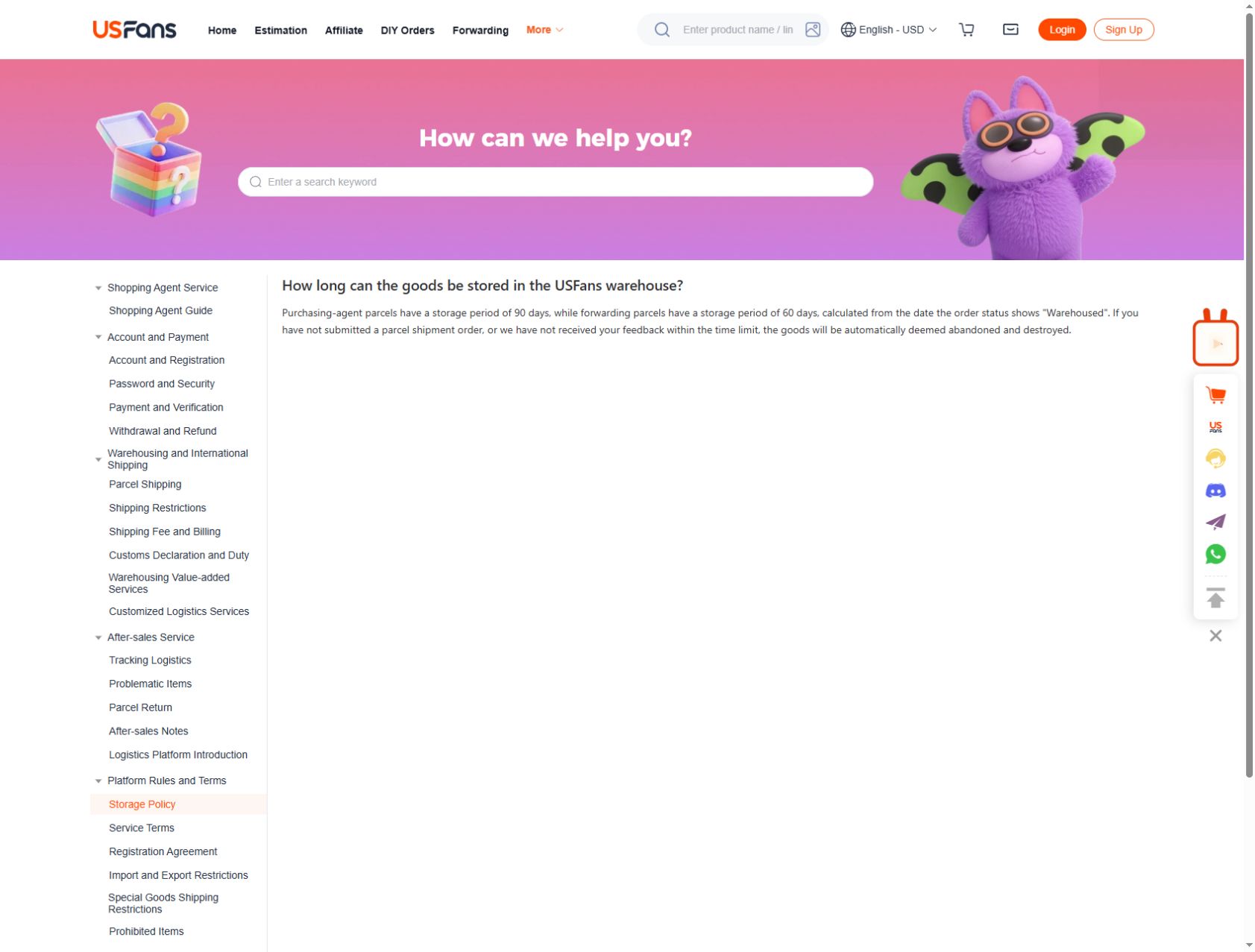
USFans' storage policy checked on 30 September 2026 gives purchasing-agent parcels a 90-day storage period and forwarding parcels a 60-day period. The starting point is the date the order status shows “Warehoused,” not the day you first saved a product or paid its seller.
For a multi-item purchase, record the warehousing date against each relevant item rather than borrowing the newest item's date for everything. Decide whether to send a ready item while another purchase is still unresolved. The policy warns that goods may be treated as abandoned and destroyed if no parcel shipment order or feedback is received within the stated limit; contact support before that point if you need to clarify an action. Do not assume that a new purchase restarts storage for an older one.
Read a warehouse location carefully
An internal storage label can help staff locate an item. It does not by itself identify where a return should be sent, where a parcel will be delivered or which country the item came from. Do not publish internal location codes with an account or order reference.
If support asks for an identifier, provide it through the appropriate private channel. In a public screenshot, remove account details, addresses, payment information and codes that could expose someone else's data.
Decide whether the item is ready for shipping
Before dispatch, confirm the intended items, destination, packaging choice and selected service. Check any applicable restrictions and the current amount shown for that parcel. The shipping guide explains how to compare those inputs.
Retain the parcel reference after submission. A later tracking update belongs to the parcel record, not to the product row. Continue with the tracking guide when the carrier stage begins.
Does warehouse arrival mean the item passed QC?
No. Arrival and inspection are separate stages. Check the relevant QC record and current scope before deciding.
Is a warehouse location a return address?
Not automatically. It may be an internal label. Use the current service instructions for any return question.
Can I calculate shipping as soon as one item arrives?
You can make a provisional comparison, but recalculate when the actual contents, packaging and destination are fixed.