
USFans Tracking: Build a Parcel Timeline Before Asking What Happens Next
USFans tracking is a parcel question. A product link, warehouse status and carrier event describe different stages. Start with the parcel identifier and build a dated timeline rather than predicting delivery from one label. If you are browsing for a later order, inspect this backpack candidate on USFans and save it to a separate shortlist so it does not get mixed into the current parcel record.
Match the identifier first
USFans' tracking instructions checked on 30 September 2026 direct users to “Tracking Details” for the relevant parcel. Start from that parcel record, then check the carrier context alongside the reference. A mistyped number can open another shipment or return no useful result. Keep the product reference separate; reopening a product page does not track the parcel containing it.
Record the carrier, event text, time, timezone and location where shown. If an account page and a carrier page use different timezones, normalise the timestamps before deciding which event came first.
Read common stages carefully
“Label created” can mean that shipment information was prepared; it does not by itself prove that a carrier has taken possession. A handoff event, movement scan and local delivery event answer different questions. Use the wording and carrier context attached to the event instead of turning a label into an acceptance claim.
Likewise, a delivery-point event may indicate a collection location rather than delivery to the address you expected. Read the carrier's instructions for the particular parcel before making travel or delivery arrangements.
The shipping guide explains the parcel inputs that precede tracking. The warehouse guide separates the warehouse stage from carrier movement.
Keep the timeline small and exact
| Record | What to save | Why it matters |
|---|---|---|
| Parcel reference | Exact identifier and source | Prevents mixing shipments |
| Carrier context | Name or service shown with the event | Events have different meanings by carrier |
| Event | Visible wording and timestamp | Preserves what was actually reported |
| Location | Location text or handoff point | Helps distinguish movement from delivery |
| Account view | Corresponding status and time | Reveals a delay between views without guessing its cause |
If the status has not changed, record the time of your last check rather than writing that the parcel is lost. A quiet period can have several explanations that the visible event alone cannot settle.
Distinguish the first update from a later gap
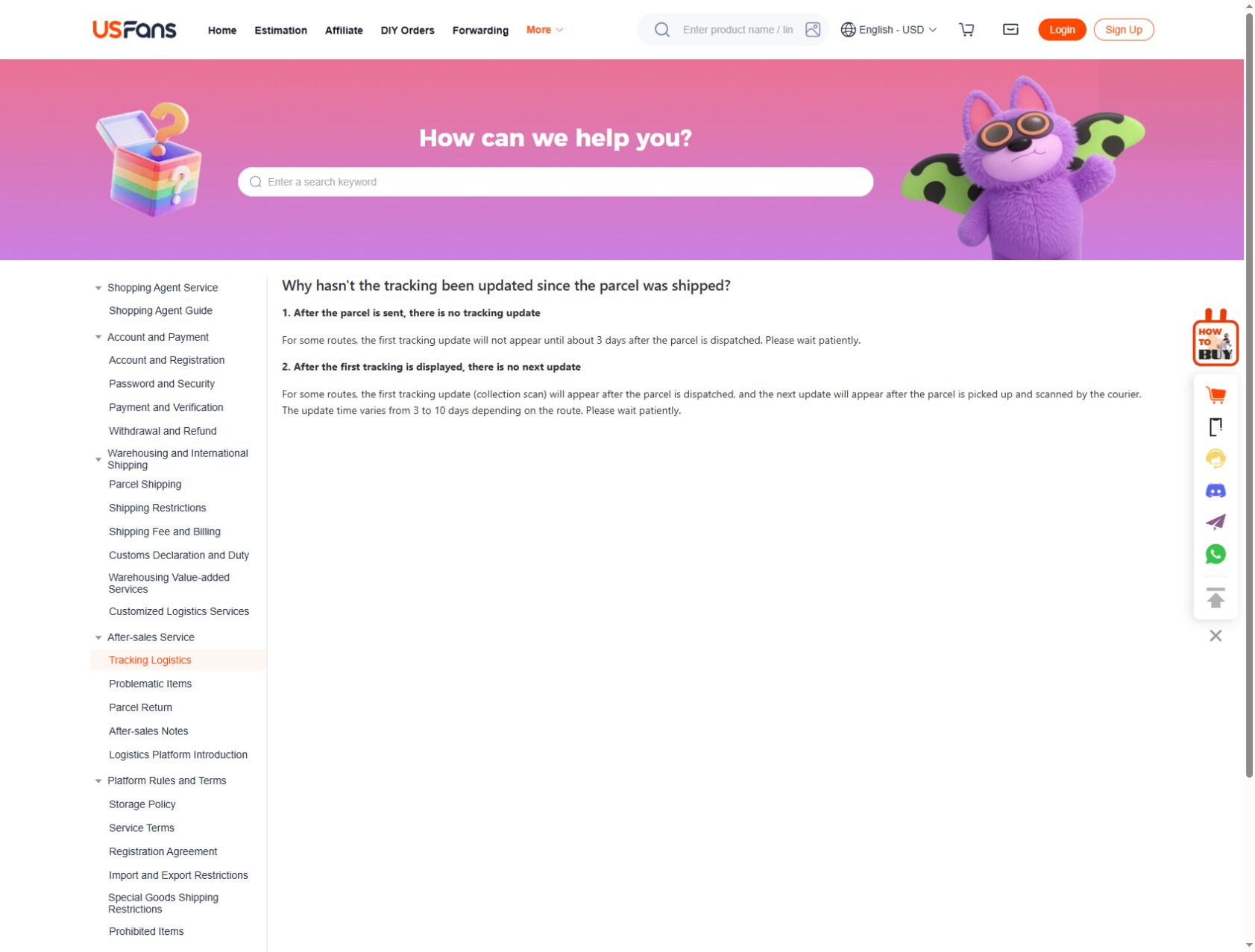
The USFans tracking-help page checked on 30 September 2026 describes two gaps for some routes: the first update may appear about three days after dispatch, while the next update can take three to ten days depending on the route and courier scan. These describe the visibility of tracking events, not time to your door.
Identify which situation matches your record: no event yet, or an initial event with no subsequent movement displayed. Include that distinction when asking for help. A range in general help does not prove why a particular parcel is quiet, so retain the actual last event and the instructions for your chosen service.
Compare account and carrier updates
An account dashboard may summarise a carrier event. If the two views differ, save both with their timestamps and ask which record should guide the next action. Do not edit one to make the timeline look consistent.
For a hypothetical parcel, an account could show “shipped” on Monday while the carrier first displays “received” on Wednesday. Those labels describe different moments; the example does not establish a delay for any actual shipment. Ask about the gap with the parcel reference attached privately.
Ask which missing measurement or item detail would resolve that gap. The returns guide is for a different branch involving an item or remedy, not merely a tracking update.
Avoid copying another tracking result
Another person's route, carrier or destination can produce different events. A screenshot with a similar service name is not evidence for your parcel. When comparing an example, mark it as an illustration and keep your own identifier and destination separate.
Public screenshots should hide addresses, account IDs, phone numbers and full parcel references. Share the complete private identifier only through the appropriate support channel.
What to do when the timeline stalls
First check that the identifier and carrier context are correct. Then note the last event, its date and the expected next stage without inventing a cause. If the carrier provides a contact or enquiry route, use the parcel-specific instructions. If the account and carrier remain inconsistent, send support both records and ask what action is available.
Do not create a replacement order or pay again simply because a tracking page has not refreshed. Check the order and payment records first. Read the payment-failure guide if the uncertainty concerns a charge rather than transport.
Does “shipped” mean the carrier has the parcel?
Not necessarily. Read the carrier event and context; a prepared label and a possession scan are different records.
Can tracking predict the delivery date?
It can show the visible event sequence. A delivery estimate can change and should not be treated as a guaranteed appointment.
Is a product link also a tracking link?
No. A product link helps identify a candidate; a parcel reference identifies a shipment.
Back to the USFans spreadsheet homepage · Back to top
Work out which movement the update describes
Ask whether the update concerns purchasing from the seller, movement towards the warehouse, receipt and inspection, parcel preparation, or travel to the delivery address. Do not read a seller-side shipment update as confirmation that an international parcel has left.
If a tracking reference appears, identify what shipment it belongs to. The tracking guide explains why a reference or label alone is not the same as a carrier acceptance event. Keep the carrier event and its time separate from the time a platform notification reached you.
USFans' status definitions checked on 30 September 2026 separate arrival before inspection, inspected and weighed goods before storage, and stored goods. On the parcel side, “Packaging Completed” comes before courier pickup; “Shipped” follows pickup. Check which object owns the status before deciding whether the next action belongs to inspection, packing or transport.
For a warehouse-stage question, the warehouse guide also explains the storage clock. A later parcel update does not reset an older item's recorded warehousing date.
Compare the latest relevant update
Read the most recent entry for the same object. An old email can remain in your inbox after the account record changes. Conversely, a notification can arrive later than the event it describes. Where the time zone is shown, retain it when comparing timestamps.
If two screens disagree, record both messages and times rather than choosing the more reassuring one. Ask which record governs the next action. Repeatedly refreshing the page is not evidence that a parcel moved or that an order failed.