
Is a USFans Spreadsheet Safe? Check the Action Before You Take It
An organised USFans spreadsheet can help you compare products, but its appearance cannot establish the safety of every destination, account request or purchase. The useful question is not simply whether a list looks trustworthy. It is what you are being asked to do next, and whether you understand that action.
Opening a product, signing in, making a payment and choosing international delivery create different questions. Check them separately. A positive signal at one stage does not answer all the others.
Access screen checked on 1 October 2026
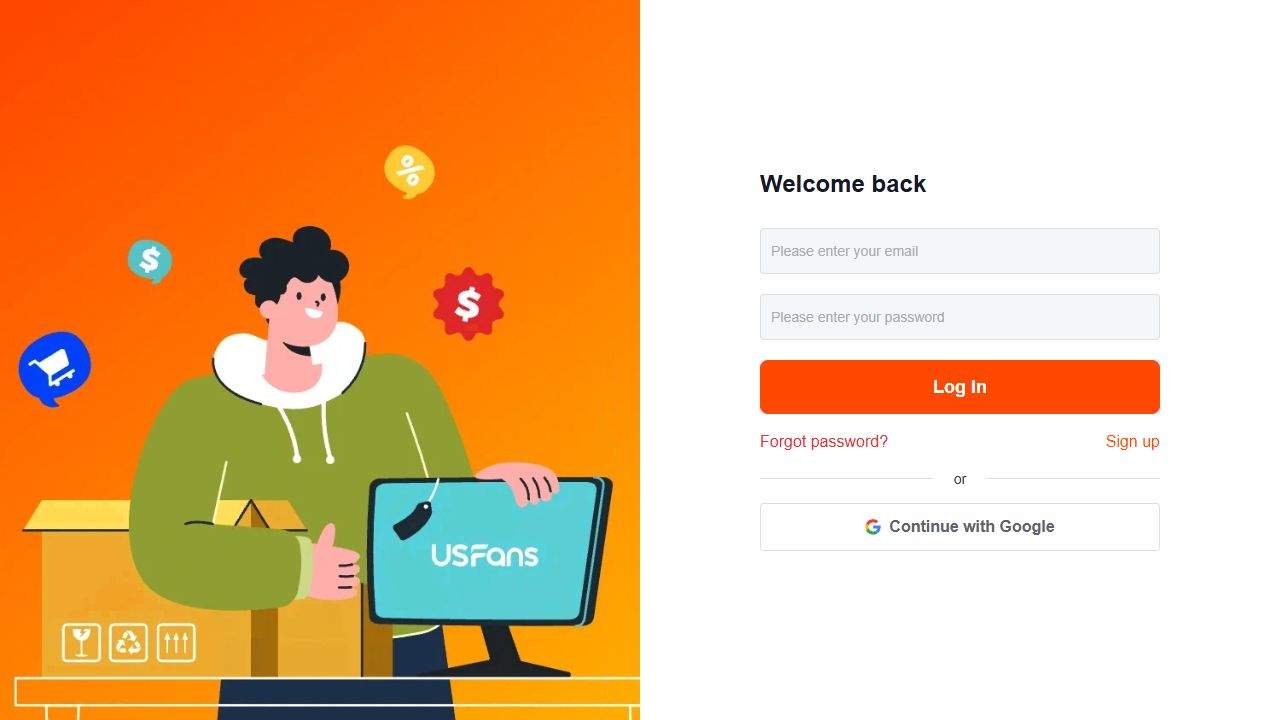
The public USFans access view reached through Affiliate on 1 October 2026 showed email/password, Continue with Google, Forgot password and Sign up. Treat a request for credentials as an account action, separate from reading a spreadsheet or opening an OG product. Check the destination before choosing the next control.
Start with the destination
Before entering credentials or personal information, examine the address of the page you reached. A familiar product picture or service name can appear in many contexts. If you intended to inspect a product but instead reach a login or payment request, establish why that step is needed before proceeding.
Keep the original public product reference so you can compare it with the destination. If a replacement opens, inspect the replacement as a new candidate rather than assuming the previous description still applies. The spreadsheet link guide covers changed and broken rows.
Avoid downloading an unfamiliar file or installing an extension merely because a message says it will unlock a product list. Access to a shopping reference should not be treated as permission for unrelated software or account access.
Protect account access independently of the purchase
Use a different password for each service and protect the email account used for recovery. CERT Polska's account-security guidance recommends unique passwords, a password manager and two-step verification. Check the security settings available for each account and enable additional verification where offered.
Do not send passwords or sign-in codes to someone offering help with a spreadsheet row. If a message claims your order needs attention, inspect the relevant account through a destination you have independently checked rather than relying only on the message's button.
Consider a hypothetical message offering to reserve a jacket if you first share an email login code. The jacket is a distraction from the actual request: access to an account. Resolve the shopping question without handing over the code.
Read the payment action in full
Check the account, amount, currency and purpose before confirming. A product purchase and a parcel shipping payment are different stages. A saved product price should not be treated as the full amount for receiving the goods.
If the result of an attempted payment is unclear, inspect the order state and your payment record before making another attempt. A blank page is not proof that no payment occurred. Keep transaction references private and ask a focused question through the appropriate support channel.
The ordering guide explains the sequence; the payment-failure guide covers an uncertain result. Do not rely on an unexpected private message asking you to send a separate payment without first confirming its relationship to your actual order.
Evaluate the item, not just the collection's reputation
A spreadsheet may be easy to navigate and still contain an item unsuitable for your purpose. Check the selected option, size information, included pieces and any properties that matter to you. Photographs cannot establish every performance or safety characteristic.
For a simple clothing comparison, view the logo T-shirt listing on USFans. Its title mentions several colours, so record the specific colour and size you select instead of treating the full gallery as one option. Compare the measurements relevant to your intended fit before relying on a recommendation.
The same distinction matters when reading other people's experiences. A successful delivery of one item does not establish the condition of another. The review guide helps separate a dated individual result from broader claims about a service.
Keep inspection material attached to the right order
When you review warehouse images, identify the item they concern. Several similar products or several sizes can make an image easy to misattribute. Compare visible details with the relevant selection rather than with a generic gallery picture alone.
If an image does not show a detail, do not infer that the detail was checked. Ask a specific question while the item is at the relevant stage. The QC guide covers visible comparisons; the size guide covers measurement interpretation.
Do not use an attractive inspection image to infer untested qualities such as electrical function, material safety or durability. The checks needed depend on the product and intended use, not on how reassuring the photograph looks.
Check the parcel decision separately
Before confirming a parcel, review the actual contents, destination and the available service conditions. Product availability is not the same as eligibility for every shipping service. Read restrictions relevant to the items you intend to send rather than assuming that a previous clothing parcel establishes what is possible for another product type.
Compare delivery options on the same parcel basis and keep the applicable terms with your records. Do not treat an estimate, another buyer's receipt or a community recommendation as a guarantee of your outcome. Continue with the shipping guide for the questions to resolve before submission.
Share enough context without exposing personal information
When asking a public community about a listing, share the public item reference and the specific product question. Before posting screenshots, remove account identifiers, addresses, payment information and private order or parcel details. Check small text, image corners and codes as well as the main content.
Support may need a private order reference to investigate your own case. That does not mean the same record belongs in a public post. Keep the public explanation separate from the private information needed to identify the transaction.
A practical stop-and-check list
Pause the action if:
- The destination differs from what the link was supposed to open.
- A stranger asks for a password, recovery code or access to your device.
- The payment purpose or currency is unclear.
- The selected option differs from the one you compared.
- A photo is presented as proof of a property it does not show.
- A shipping promise is not tied to your actual parcel and service conditions.
Pausing is not a declaration that a service or seller is fraudulent. It gives you time to resolve the specific uncertainty before making a decision that depends on it. Ask platform support to describe that uncertainty clearly.
Is USFans trustworthy because a spreadsheet recommends it?
A recommendation is one piece of context. Check the destination and account request, identify the selected product, and read the conditions applying to the payment or parcel you are about to confirm. Resolve any mismatch at that stage before continuing.
Does a large collection mean the links have all been checked?
No. Size alone does not establish link accuracy, current availability or the suitability of any particular item. Check the row you intend to use.
Can these shopping buttons access my USFans account?
The product links in these articles open OG pages. They do not sign in to USFans, transfer your account or place an order. Inspect any later action on the destination where you choose to take it.
Back to the USFans spreadsheet homepage · Back to top
Find the exact action affected
Ask what the notice prevents or asks you to change: opening the page, selecting an option, accessing an account, submitting a purchase or arranging a parcel. Retain the corresponding item or order reference privately.
For an unavailable shipping route, USFans' transport-restriction help checked on 30 September 2026 describes a “View Reason” entry and support contact to clarify the product classification. Read the explanation for the actual parcel before assuming a site outage. Correct an inaccurate classification through support; do not rename or misdeclare the contents to get around the restriction.
If the message refers to your account, use the platform's own account recovery or private support channel. If it follows a transaction attempt, check that attempt's state before trying again; the warning alone may not explain whether the transaction was created.
Do not remove the reason along with the message
Repeatedly changing product names, quantities or destination details merely to get past a notice can obscure the original problem. Keep the information accurate and ask which condition needs attention.
For a parcel question, obtain an answer about the actual contents and destination. Do not assume that an unrelated item or another person's shipment proves your selection is permitted. For a product question, changing to a visually similar listing does not establish that the concern has been resolved.