
USFans Discord and Community Posts: Turn a Find Into a Useful Question
A USFans community post is most useful when it helps you ask a more precise question about a find. A photograph may draw your attention to an item, while a longer discussion may explain which option someone bought. Neither replaces checking the option you intend to order.
Use Discord, Reddit, TikTok, YouTube or Telegram discussions as starting points for comparison, not as interchangeable proof about every USFans purchase.
Community entries checked on 1 October 2026
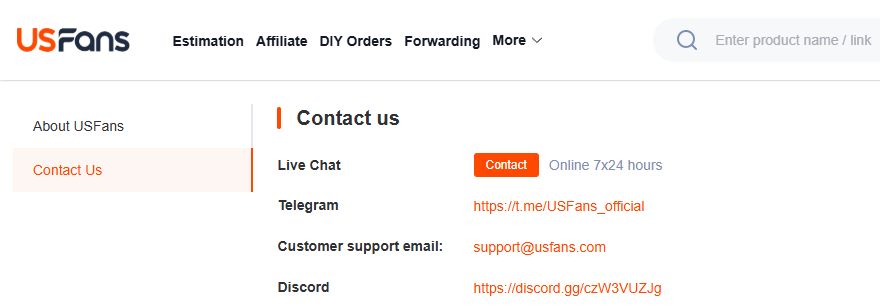
The public Discord invitation and Telegram landing reached through USFans' Contact Us page both displayed USFans on 1 October 2026. Follow that origin when checking a group. A reply about a garment remains a separate observation whose item, option and date must match the question you asked.
Check what you are being invited to join
When searching for USFans DC or a USFans Discord server, distinguish a server name from evidence of who operates it. USFans' contact page checked on 30 September 2026 displayed Discord and Telegram entries alongside direct support options. Begin with the platform's contact entry and inspect its destination rather than trusting a copied name or profile picture.
An expired invite may be an old invitation rather than a sign that the service has stopped. Recheck the platform's contact entry for a current route. Do not follow a stranger's replacement link into an account-recovery or payment request, and keep individual order questions in the appropriate private support channel.
Ask about the specific find
A question such as “Is this good?” leaves readers guessing about your priorities. Ask for the detail that would change your decision: which size was selected, whether the photographed option matches the link, or what was actually included.
For a set, for example, distinguish a styled outfit from the contents of the selected purchase. Compare a set product page on USFans Spreadsheet and note which option you are asking about. A community photo of a similar outfit does not establish that every pictured piece belongs to that product.
The spreadsheet-links guide explains how to retain a useful product reference when posts and default options change.
Read each format for what it can show
A USFans spreadsheet TikTok clip can highlight an appealing silhouette without showing measurements or the full order. A YouTube haul may offer a longer view, but check whether the speaker separates appearance on arrival from use over time.
When reading USFans reviews on Reddit, follow the original discussion where possible. A cropped reply may omit the product version or the later resolution. In fast-moving Discord or Telegram conversations, make sure the answer refers to your question rather than an earlier message.
None of these formats automatically establishes a typical outcome. Read the review guide for separating one shopper's observation from a wider claim.
Keep shipping and QC examples attached to their context
A parcel price needs the destination, contents and relevant service context to be comparable. A number without those details is not a quote for your own purchase.
Likewise, another buyer's QC image can help you identify a detail to inspect, but it is not a photograph of your allocated item. Compare your own option and use the QC guide to frame a specific inspection question.
Share the question without sharing your account
Before posting a screenshot, remove names, addresses, order references, contact information, tracking identifiers, payment details and verification codes. Check the background and nearby messages as well as the main image.
Use a verified private support channel for information needed to handle an individual order. Community members do not need your password or recovery code to discuss a product. When an answer proposes a purchase change, check it against your actual item or parcel before acting.